





Motorola Edge 70 Pro Starts Receiving Android 17 With Major UI Changes and New Features
The update introduces a redesigned visual experience alongside changes intended to improve everyday usability, productivity and device security.

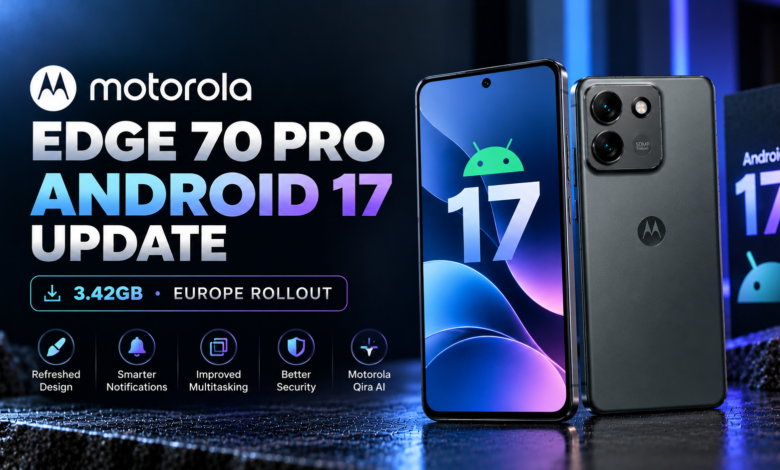
The wait for a major software upgrade is finally over for some Motorola Edge 70 Pro users, as Android 17 has started rolling out with a refreshed interface, improved multitasking, enhanced security and new smart features. The update marks an important milestone for the smartphone, which launched with Android 16 earlier this year.
The rollout is currently reaching a limited number of users in Europe. While the update brings several noticeable changes to the phone’s software experience, owners in other regions may have to wait a little longer before receiving the new version.
With a substantial download size and a range of interface improvements, Android 17 is one of the most significant software upgrades for the Edge 70 Pro since its launch.
Motorola Edge 70 Pro Android 17 Update Details
The Android 17 update for the Motorola Edge 70 Pro is reportedly arriving with software version A171WMH.44-25. The package is approximately 3.42GB, making it a sizeable download that users should install over a reliable Wi-Fi connection.
The rollout was first spotted on European devices, suggesting that Motorola is distributing the update in stages rather than making it available to every eligible smartphone simultaneously.
As with most major Android releases, availability can vary depending on the region and device variant. Users who have not received the update notification should not assume that their phones are ineligible, as the rollout may take additional time to reach them.
The update introduces a redesigned visual experience alongside changes intended to improve everyday usability, productivity and device security.
Redesigned Notifications and Quick Settings
One of the most noticeable changes in Android 17 is the refreshed interface. Motorola is introducing redesigned notifications and Quick Settings, giving important information and frequently used controls a new look.
The updated notification experience aims to reduce unnecessary clutter, helping users focus on the alerts that matter most. A cleaner notification panel can make it easier to manage incoming messages, app notifications and other updates without feeling overwhelmed by constant alerts.
Quick Settings has also received a redesign, bringing a refreshed appearance to the controls users access regularly. These shortcuts are essential for adjusting connectivity, managing device settings and accessing common functions without navigating through multiple menus.
The update also includes new lock screen clock styles, offering additional ways to personalise the phone’s appearance.
For users who enjoy customising their smartphones, these changes should make the Edge 70 Pro feel more modern without requiring a new device.

Live Activities Bring Useful Information to the Lock Screen
Another important addition is Live Activities support, which can display ongoing information for supported activities, including calls, music playback and flashlight usage.
The idea is to make active tasks easier to monitor without forcing users to repeatedly open applications or navigate through different menus.
For example, users may be able to check information about an ongoing supported activity directly from the lock screen. This can be particularly useful when listening to music, managing calls or keeping track of an active function.
Live Activities adds another layer of convenience to the overall Android experience. However, the precise behaviour and availability of individual activities can depend on software support and the applications being used.
Combined with the redesigned notification system, this feature is intended to make everyday interactions with the Edge 70 Pro more straightforward.
New Volume Mixer and Updated Settings App
Android 17 also brings changes to the phone’s sound controls and settings interface.
The Motorola Edge 70 Pro is reportedly receiving a new volume mixer, providing an updated way to manage audio levels. A more convenient volume interface can make it easier to adjust sound settings according to different situations, such as listening to music, watching videos or managing notifications.
The Settings app has also been updated with a refreshed design. Although settings menus are not always the most exciting part of a major software release, improvements here can make common options easier to find and manage.
Motorola is also introducing a refreshed app drawer and improved support for themed icons. These additions give users more opportunities to maintain a consistent visual style across the home screen and application list.
Improved animations round out the reported interface changes, helping transitions between screens and menus feel smoother.
Together, these refinements focus on making the software feel more polished rather than relying on a single headline feature.
Motorola’s Qira AI Agent Arrives With Android 17
Artificial intelligence is another part of the update. Motorola’s Qira AI agent is reportedly working on the Edge 70 Pro with the new software build.
Motorola had previously indicated that Qira would arrive with Android 17, making its appearance an important addition to the phone’s software experience.
AI assistants are increasingly becoming part of smartphone ecosystems, with manufacturers looking for ways to make interactions more convenient and useful. Qira is intended to extend Motorola’s AI capabilities, although the features available to users may depend on the device, software version, region and supported services.
Early reports from a user who received the update indicate that Qira is functioning on the new build. However, the full experience and availability of its capabilities may become clearer as the rollout expands and more owners begin using the updated software.
The addition gives Edge 70 Pro users another reason to look forward to the Android 17 upgrade, beyond its visual changes.
Android 17 Is the First of Three Major OS Updates
The Motorola Edge 70 Pro launched in April with Android 16 and is promised up to three major Android operating system upgrades.
Android 17 therefore represents the first major OS upgrade in that commitment. The update brings the phone onto Google’s newer Android platform while introducing Motorola’s own interface refinements and software additions.
Long-term software support is an important consideration for smartphone buyers, as major Android updates can introduce new features, interface improvements and platform-level changes throughout a device’s lifespan.
Motorola has also been expanding Android 17 availability across its smartphone lineup. The Edge 70 Pro now joins other Motorola models that have begun receiving the new software.
Nevertheless, the exact timing of future updates can vary by device and market. Owners should rely on official update notifications for confirmation of availability on their specific handset.
How to Check for Android 17 on the Motorola Edge 70 Pro
If you own a Motorola Edge 70 Pro, you can manually check whether Android 17 is available for your device.
Follow these steps:
- Open the Settings app on your smartphone.
- Navigate to System updates.
- Check for available software updates.
- If Android 17 appears, review the update details before downloading it.
- Connect to Wi-Fi and ensure your phone has sufficient battery power and free storage.
- Back up important data before beginning the installation.
Because the update is approximately 3.42GB, downloading it over Wi-Fi is recommended. Keeping sufficient storage available can also help prevent installation problems.
If no update is available, check again later. Availability depends on the rollout schedule, and users in regions outside Europe may have to wait longer.
When Will Android 17 Reach More Regions?
For now, the stable Android 17 rollout appears to be limited to a small number of Motorola Edge 70 Pro devices in Europe. A wider release is expected to take place gradually, but an exact schedule for individual countries has not been confirmed.
Users in India and other markets should wait for the update to appear on their own devices rather than assuming that the European rollout means it is already available worldwide.
Overall, Android 17 brings a useful collection of improvements to the Motorola Edge 70 Pro, including a refreshed interface, redesigned notifications, Live Activities, an updated volume mixer and Qira AI. While the initial rollout is limited, the update marks the beginning of the phone’s next stage of software support.