





Sony Xperia 1 VII Starts Receiving Android 17 Update With New Features
Sony has started distributing Android 17 to the Xperia 1 VII, with early reports indicating that the update is reaching users in Europe.

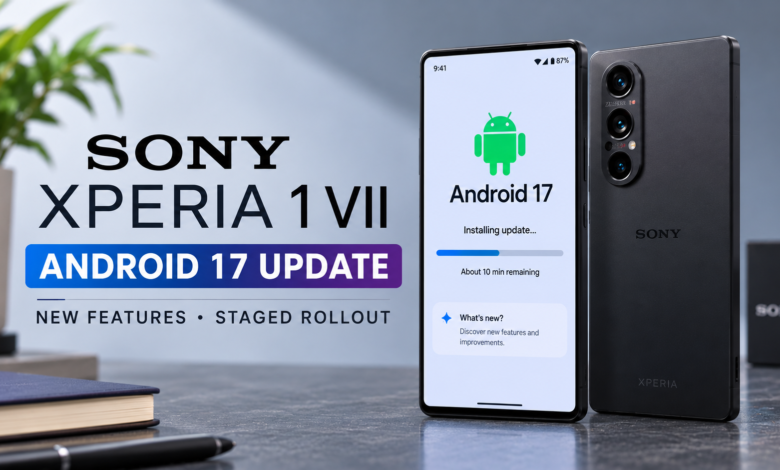
Sony is bringing its latest Android software experience to another flagship smartphone, with the Xperia 1 VII now beginning to receive the Android 17 update. The rollout introduces a range of interface improvements, new customization options and productivity features designed to make the device more versatile.
The update arrives after Sony began distributing Android 17 to selected Xperia smartphones. Although the rollout has started, availability may vary depending on the region and device variant, meaning some owners could receive the update later than others.
For Xperia 1 VII users, this is an important software upgrade that brings more than a routine security patch. It introduces changes to everyday navigation, screen recording and the way the phone can be used with an external display.
Sony Xperia 1 VII Android 17 Update Begins Rolling Out
Sony has started distributing Android 17 to the Xperia 1 VII, with early reports indicating that the update is reaching users in Europe.
The update is identified by software version 71.2.A.2.35 and includes the October 1, 2026 security patch. Reports indicate that the download is approximately 1.1GB, although the exact package size may vary depending on the device’s existing software version and region.
As with most major Android updates, Sony is expected to distribute the software in stages. This means that two Xperia 1 VII owners in different countries may not receive the update at the same time.
Users who have not received a notification should not automatically assume that something is wrong with their phone. Rollouts can take time to reach all eligible devices, and availability may also depend on regional software releases or carrier requirements.
Before installing the update, users should back up important data, connect to a reliable Wi-Fi network and ensure that the battery has sufficient charge.
Android 17 Brings Desktop Mode to the Xperia 1 VII
One of the most notable additions is support for Android 17’s desktop mode on compatible Xperia devices, including the Xperia 1 VII.
This feature allows users to connect their smartphone to a supported external display and access a desktop-style interface. Instead of relying exclusively on the phone’s screen, users can work with multiple applications on a larger display.
The feature could be useful for checking emails, reviewing documents, browsing websites and handling basic productivity tasks. With a compatible keyboard and mouse, the phone can provide an experience that more closely resembles using a computer.
Desktop mode could be particularly useful for people who travel frequently or prefer carrying fewer devices. Rather than bringing a separate laptop for every light task, they may be able to use their smartphone with a compatible monitor when needed.

However, the experience will depend on the applications being used, the connected display and the available accessories. Desktop mode does not automatically make every Android application behave like a full desktop program.
Even with those limitations, its inclusion expands what users can do with the Xperia 1 VII beyond conventional smartphone activities.
Redesigned Quick Settings Panel
Android 17 also introduces changes to the Quick Settings panel, making it more customizable.
Users can resize and rearrange supported tiles to place frequently used controls where they are easiest to access. Larger tiles can also display short descriptions, helping users understand the function of a setting without opening another menu.
Quick Settings provides shortcuts to common controls such as Wi-Fi, Bluetooth and other system functions. Making the panel more flexible could help users organize it around their daily routines.
For example, someone who regularly switches connectivity options or adjusts device settings may prefer to place those controls in prominent positions. Users who rarely access certain features can move them elsewhere.
These changes are intended to make the interface more personal and convenient rather than forcing everyone to use the same arrangement.
The precise appearance and availability of individual controls may differ depending on the installed software version and Sony’s implementation.
More Customization for Wallpapers, Icons and the Lock Screen
Personalization is another area receiving attention in Android 17.
The update expands the options available through the Wallpaper and style settings, including refreshed wallpaper and lock-screen clock designs. Users can also customize the shape and style of application icons, allowing them to give the home screen a more individual appearance.
These changes may seem relatively small compared with major performance upgrades, but visual customization can influence how comfortable and familiar a smartphone feels during everyday use.
Users who prefer a minimal home screen can choose a simpler look, while those who enjoy changing their phone’s appearance have more options to explore.
The new options also bring additional flexibility to the lock screen, which users interact with repeatedly throughout the day.
The exact set of available customization features may vary by device and software version, so Xperia 1 VII owners should check their settings after installing the update.
Screen Recording Gets a Useful Upgrade
Sony has also highlighted improvements to screen recording with Android 17.
The updated experience makes it easier to record either the entire screen or a single application. Users can also capture device audio and microphone audio together, depending on the selected recording options.
This could be useful for recording gameplay, preparing tutorials, demonstrating an application or explaining a technical problem to someone else.
For content creators, recording the screen and commentary together can reduce the need to combine separate recordings during editing. It may also make it easier to produce straightforward demonstrations directly from the phone.
The ability to record a single application can be helpful when users want to focus on a particular task rather than capture everything happening on the device.
As with other recording tools, available audio options can depend on application restrictions and system permissions. Some applications may prevent their audio or content from being captured.
Overall, these improvements make screen recording more flexible for users who frequently share information or create content from their smartphones.
Android 17 Update Includes Security Improvements
Alongside interface changes, the update includes the October 1, 2026 security patch.
Security updates are important because they address vulnerabilities that could affect the operating system and other parts of the device. Installing the latest available patch can help keep a smartphone protected against known security issues.
However, users should distinguish between the Android 17 operating system upgrade and the security patch included in the same package. The operating system introduces new features and changes, while the security patch addresses specific security issues.
Sony’s rollout schedule can differ across markets, and some devices may receive updates at different times. Owners should check the software information on their individual phones to confirm the installed version and security patch level.
Which Sony Xperia Phones Are Eligible for Android 17?
Sony’s published Android 17 compatibility information currently lists five Xperia smartphones:
- Sony Xperia 1 VIII
- Sony Xperia 1 VII
- Sony Xperia 1 VI
- Sony Xperia 10 VIII
- Sony Xperia 10 VII
The update schedule varies by model, so eligibility does not mean every device receives the software simultaneously.
Sony has also indicated that certain features are limited to specific models. For example, Quick Share compatibility with Apple’s AirDrop is listed for the Xperia 1 VIII, while desktop mode is supported on the Xperia 1 VIII, Xperia 1 VII and Xperia 1 VI.
Owners should therefore avoid assuming that every Android 17 feature will be available on every eligible Xperia phone.
How to Check for Android 17 on the Xperia 1 VII
Xperia 1 VII owners can manually check whether the update is available by opening the phone’s Settings application and navigating to the system software update section.
If Android 17 is available for the device, the phone should display an option to download and install it. If no update appears, the rollout may not yet have reached that particular region or device variant.
Before proceeding, it is sensible to back up important files, maintain a stable internet connection and ensure there is enough free storage for the installation process.
Users should also avoid interrupting the phone while the software is being installed. After installation, the device may need some time to complete background tasks and optimize applications.
What the Android 17 Update Means for Xperia 1 VII Owners
The arrival of Android 17 gives Xperia 1 VII users access to several meaningful improvements, particularly the ability to use desktop mode with an external display, customize Quick Settings and personalize the interface.
The enhanced screen-recording tools are another practical addition, especially for gamers and people who create tutorials or share demonstrations from their phones.
The October security patch also provides an important maintenance update alongside the new features.
However, the rollout is still dependent on region and device configuration, and not every Xperia 1 VII owner will necessarily receive the update immediately. Users should check their phone’s software settings rather than relying solely on reports from other markets.
With Android 17 now reaching the Xperia 1 VII, Sony is continuing to expand its latest software experience across selected Xperia devices. The update brings useful changes to productivity, personalization and everyday usability, making it a worthwhile upgrade for eligible owners once it becomes available on their phones.