






Samsung Galaxy A34 Receives Android 17-Based One UI 9 Update
As with other major Samsung software releases, the rollout is happening in stages. This means that not every Galaxy A34 owner will receive the update notification at the same time.

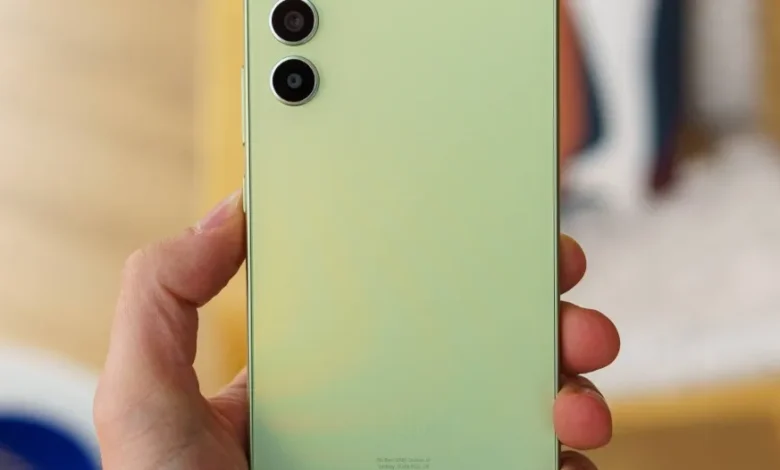
Samsung is bringing its latest software experience to another mid-range smartphone, as the Galaxy A34 5G has started receiving the stable One UI 9 update based on Android 17. The rollout initially began in South Korea before expanding to additional markets, with India among the first countries outside Samsung’s home market to receive the update.
The new software brings several interface improvements, additional customisation options and changes to privacy and device management features. It also represents an important milestone for the Galaxy A34, as Android 17 is expected to be its final major Android operating system upgrade under Samsung’s promised update policy.
Galaxy A34 Receives One UI 9 Based on Android 17
Samsung initially released One UI 9 for the Galaxy A34 5G in South Korea. The update is now expanding to more regions, including India, giving international users access to the latest version of Samsung’s software.
For the Indian Galaxy A34 5G variant, the update reportedly carries firmware version A346EXXUGGZJ9 and has a download size of approximately 2.8GB. The Korean version received an earlier firmware build, while other regional variants are receiving their own versions of the software.
The update also includes the October 2026 security patch, which addresses security vulnerabilities affecting the device. However, the exact firmware version and availability can differ depending on the smartphone’s model number, region and carrier.
As with other major Samsung software releases, the rollout is happening in stages. This means that not every Galaxy A34 owner will receive the update notification at the same time.
New Quick Panel Customisation Options
One of the noticeable changes in One UI 9 is the expanded customisation available in the Quick Panel.
Samsung is giving users more control over the appearance and arrangement of their quick settings. The update allows users to customise the size of certain interface elements, including the brightness slider, volume slider and media player.
Users can also separate the sound mode button from the volume slider, offering more flexibility when arranging the Quick Panel according to their preferences.
These changes are designed to make frequently used controls easier to access and provide a more personalised interface. Since the Quick Panel is one of the areas users interact with regularly, the additional customisation options could make everyday navigation more convenient.
New Warranty and Care Section
One UI 9 also introduces a dedicated Warranty and Care section within the Settings application.

This section is designed to make it easier for users to access warranty-related information, diagnostic checks and useful details for maintaining their Galaxy smartphone.
Instead of searching through different settings pages, users can access relevant device-care information from a more centralised location.
The update also makes it easier to secure the smartphone quickly when needed, adding another improvement to Samsung’s device protection experience.
Privacy Indicator and Other Improvements
Privacy is another area receiving attention in One UI 9. The update introduces a location privacy indicator, helping users become more aware of location-related activity on their device.
Samsung has also included improvements to several existing applications and system features. These include enhancements to Samsung DeX, Samsung Notes and accessibility features.
Samsung DeX continues to provide a desktop-style experience on supported devices, while improvements to Notes and accessibility are intended to make the software more useful for different types of users.
However, Galaxy A34 owners should not expect every new Galaxy AI feature introduced with One UI 9 on premium Galaxy S and Z devices. Some advanced AI features remain exclusive to newer flagship smartphones because of their hardware requirements and Samsung’s device-specific feature support.
Galaxy A34 Gets Its Final Major Android Upgrade
The Galaxy A34 5G originally launched with Android 13 and Samsung promised four generations of major Android operating system upgrades for the device.
Since then, the smartphone has received Android 14, Android 15 and Android 16. With the arrival of Android 17, the device completes its promised four major Android upgrades.
This means One UI 9 based on Android 17 is expected to be the Galaxy A34’s final major Android version. However, that does not mean software support ends immediately.
Samsung also promised up to five years of security updates for the smartphone. Eligible security patches can therefore continue arriving even after the device stops receiving major Android version upgrades.
For existing owners, this is an important distinction because security updates help protect the smartphone against newly discovered vulnerabilities even when no additional Android version is planned.
How to Download One UI 9 on the Galaxy A34
Galaxy A34 5G owners can manually check whether the new software is available for their device.
To check for the update:
- Open Settings on your smartphone.
- Select Software update.
- Tap Download and install.
- If the update is available, follow the on-screen instructions.
It is recommended to connect to a stable Wi-Fi network and ensure that the phone has sufficient battery before installing the update. Since the package is relatively large, downloading it over a reliable connection is preferable.
If the update does not appear immediately, users may need to wait until Samsung expands the rollout to their specific region and device variant.
Final Thoughts
The arrival of One UI 9 gives the Samsung Galaxy A34 5G another major software upgrade, bringing Android 17 alongside improvements to customisation, privacy and device management.
Although this is expected to be the smartphone’s final major Android upgrade, continued security support should help keep the device protected for longer. With the rollout now expanding beyond South Korea and reaching markets such as India, more Galaxy A34 owners should receive the update in the coming days.
Users can check the Software Update section on their devices to see when the new version becomes available.